



Changing driver's licenses online not only helps people save time and effort, but also reduces a significant amount of costs by not having to take time off work to go to the licensing office. In this article, ACC GROUP will guide you through the process of changing driver's licenses online in less than 5 minutes.
Steps to follow:
Step 1: Access the website of the Vietnam Road Administration to enter the required information: https://dichvucong.gplx.gov.vn/faces/registration/home.xhtml
Step 2: Choose the specific information for online registration, as follows:
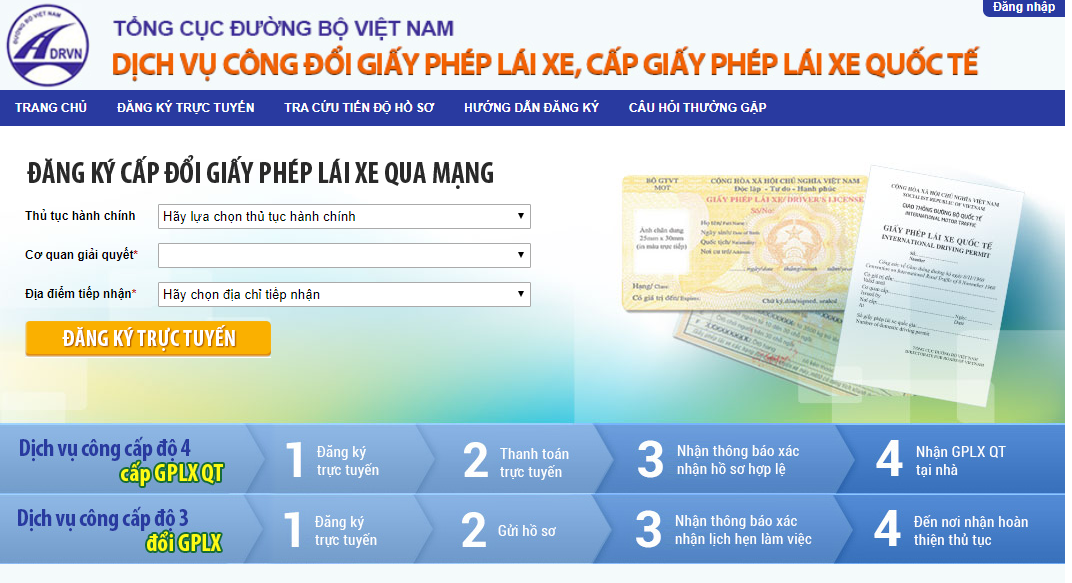
- Administrative procedure: Public service level 3 for changing driver's licenses, applicable to individuals with driver's licenses managed by the Ministry of Transport, with a remaining validity period of less than 3 months. Public service level 4 for issuing international driver's licenses, applicable to Vietnamese citizens, foreigners with permanent residency in Vietnam, holding PET material national driver's licenses with valid usage.
- Processing agency: Select the Department of Transport in your province or the nearest area where you reside.
- Receiving location: Depending on the selected agency, there will be different receiving addresses. After completing the above three fields, click on "REGISTER ONLINE," wait for the page to load, and fill in the required information accordingly.
Step 3: Enter the information for the driver's license exchange application online.
Under the Driver's License Information section, you will need to enter the national driver's license number, including both numbers and letters. Click on "Search" to continue. If your information is found, it will be displayed, and the system will automatically fill in other information (name, address, etc.) in the respective fields. If not found, you will not be able to register online, meaning you will have to go directly to the relevant authority to resolve the matter.
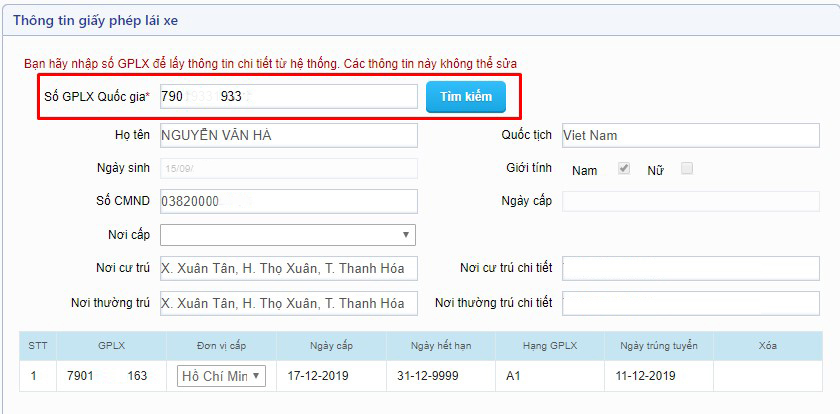
Scrolling down, there will be an optional section called "Merge Additional Driver's License Numbers" if you have a need to merge additional numbers, otherwise you can skip this section.

Merge Additional Driver's License Numbers:
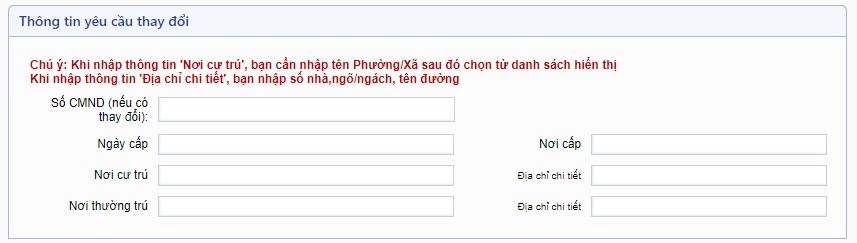
Information required for changes:
Enter this section if you want to change information about your ID number, place of residence, or permanent address.
Information required for changes:
Note for the address section: When entering information for "Place of residence," you need to enter the name of the Ward/Commune and select from the displayed list. When entering information for "Detailed address," enter the house number, alley, street name. If the system cannot find the information, it means you have entered it incorrectly.
If you do not want to change the information, you can skip this section.
Document requirements:
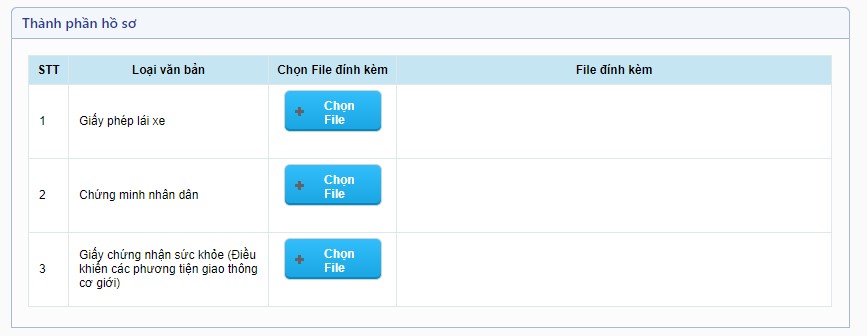
This section includes 3 types of documents, which are the documents you need to bring when changing driver's licenses. Attach image files or files in docx, xls, xlsx, pdf, png, jpg, jpeg, gif format (file size should not exceed 5MB) to the corresponding fields for Driver's License, ID Card, and Health Certificate. Alternatively, you can take photos or use scanned files to attach.
Note: Only cases where a PET material driver's license is being changed from a paper driver's license are exempt from the health certificate. These cases include:
- Individuals with A1, A2, A3 driver's licenses.
- Individuals with A4 driver's licenses or car driver's licenses with a remaining validity period of over 3 months.
Processing registration time:

Choose the date and time you want to register with the processing agency to complete the procedure. If the time slot you choose is crowded with other registrations, you will receive a notification about the overload. In this case, you need to choose a different time slot.
Contact information:
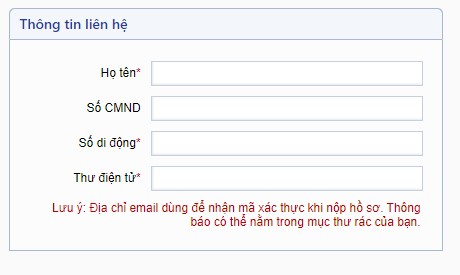
In this section, you need to enter accurate information in the fields marked with (*), as the licensing authority will use this information to contact you.
After entering all the data in the fields marked with (*), double-check the information for accuracy, and then select "Register" to submit the application.
Step 4: If the registration is successful, you will immediately receive an authentication code sent to the email or phone number provided in the contact section. Retrieve the authentication code and enter it into the empty field displayed on the screen, then click on the "Submit Application" button. A dialogue box will appear, requesting you to enter the authentication code once again. Once completed, you will receive the following notification:

"Congratulations! You have successfully registered your application online. Please save the application code and authentication code for tracking the processing progress.
Nội dung bài viết:





Bình luận