



To look up a driver's license using a citizen ID, you will need to follow the specific procedures and guidelines set by the licensing authority in your country. Generally, the process involves the following steps:
1. Visit the website of the licensing authority or the department responsible for driver's licenses in your country.
2. Look for the section or service related to driver's license lookup or verification.
3. Enter your citizen ID or other personal identification details as required. This may include your full name, date of birth, and any other relevant information.
4. Submit the information and wait for the system to retrieve and display the corresponding driver's license details associated with your citizen ID.
It's important to note that the availability and accessibility of online driver's license lookup services may vary depending on your country's regulations and the specific systems in place. Therefore, it is recommended to refer to the official website of the licensing authority or contact them directly for accurate and up-to-date information on how to look up a driver's license using a citizen ID.
How to check your driver's license on your Citizen Identification Card in 2023:
Step 1:
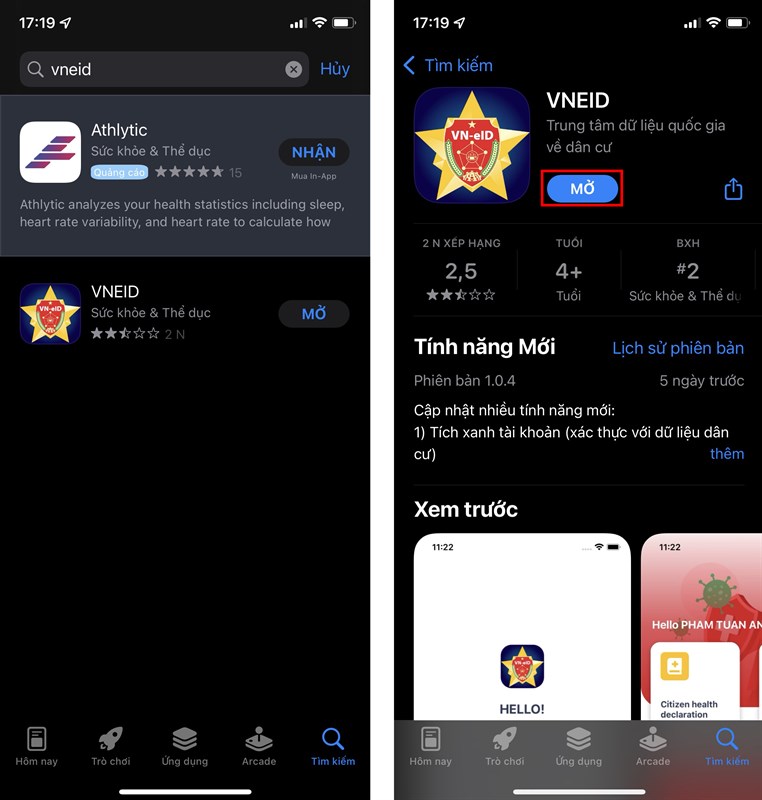
Download the VNEID application on your phone.
VNEID for Android. VNEID for iOS.
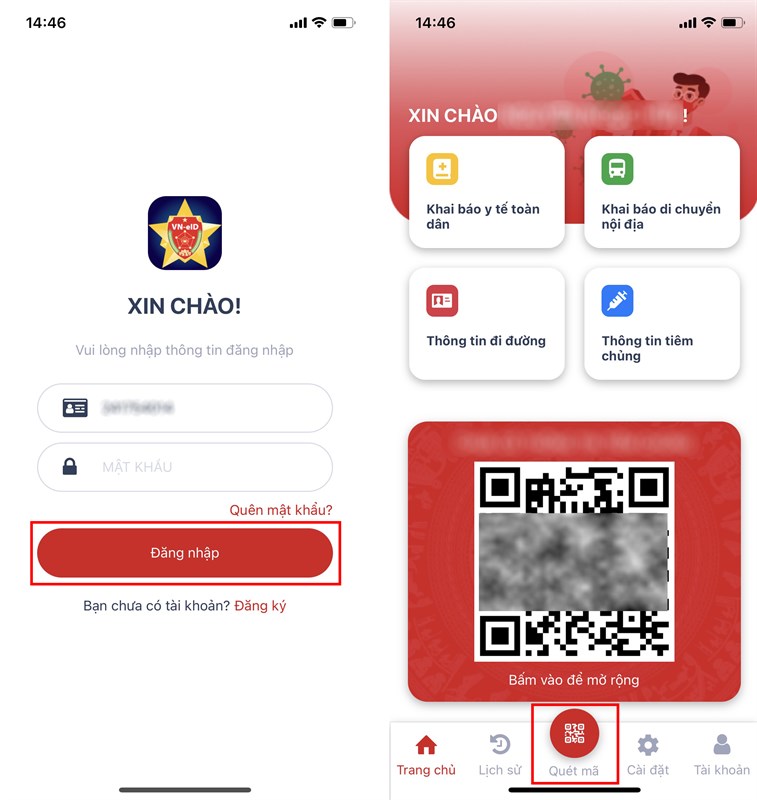
Step 2: Open the VNEID application and proceed to log in. If you don't have an account, click on Register. Then select Scan QR Code.
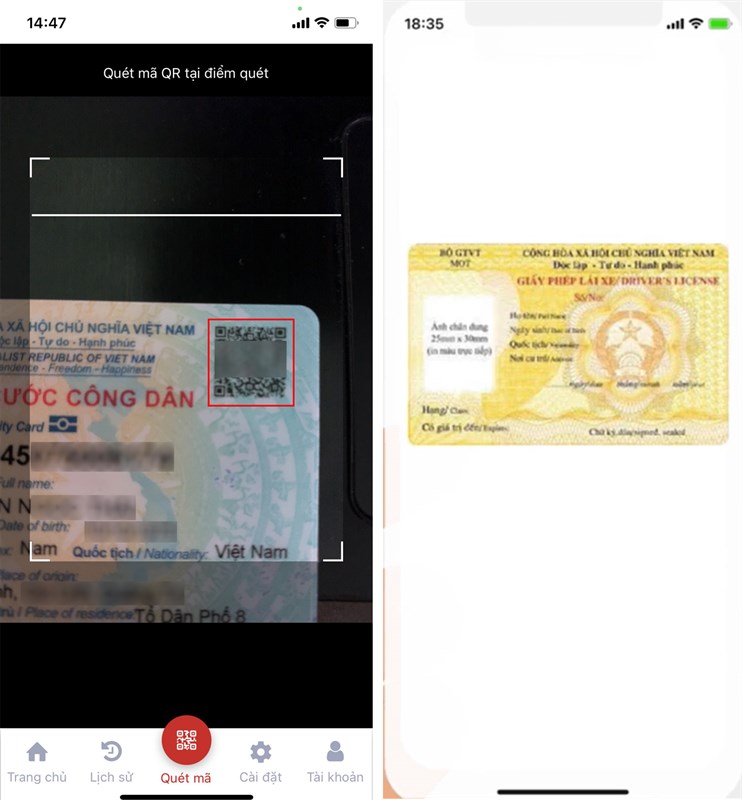
Step 3: Point your camera at the QR code on your Citizen Identification Card to scan it. Swipe up to view your Driver's License information.
Nội dung bài viết:





Bình luận